
Get your texting registration approved the first time
You cannot text in the US from a local number until the carriers approve your business (A2P 10DLC). Most people fail once, over one checkbox, one sentence in a privacy policy, or one letter in a business name. This page explains it, writes every field for you, and checks your work against HighLevel's real rejection codes. I'm with Full Access Marketing, and I've walked thousands of people through this.
- 1Fix your website firstPrivacy sentence, SMS terms, a form with two unchecked boxes.
- 2Let the writer fill the formSix boxes in, fifteen fields out, with Copy buttons.
- 3Run the 14 checks, then submitClean submissions come back in about two business days.
- No account yet? Start free
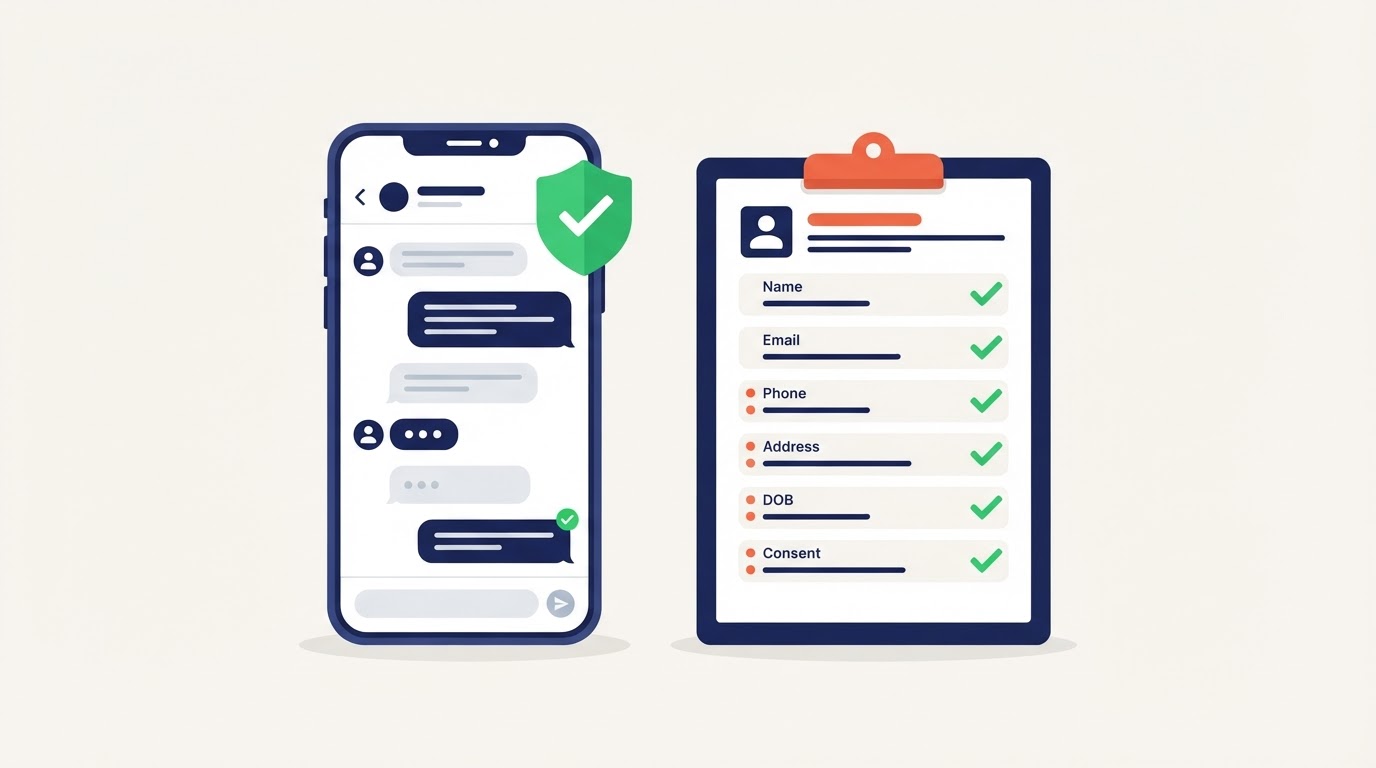
Built on HighLevel's rejection-code list (9 Sep 2026), fee page (24 Sep 2026), and what is passing review this month.
Five free tools on this page
What A2P is, in one picture
Application-to-person, 10-digit long code. In plain words: the carriers want to know who is texting and about what before they let a business number send.
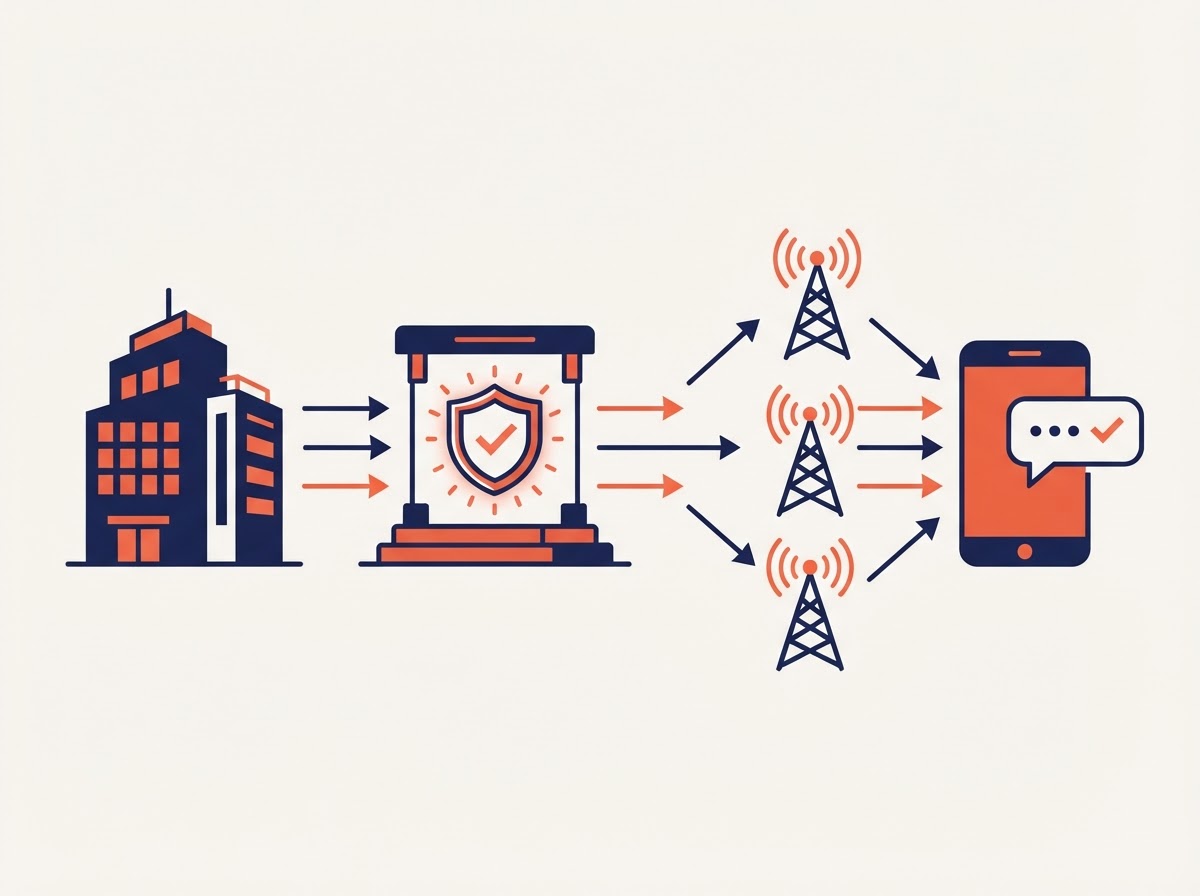
Who you are
Your legal business name, EIN and address, checked against government records. This is the part that fails on a typo. HighLevel calls it Brand registration.
What you text about
Reminders, replies, offers, or a mix. What you write here, plus your website, plus your consent form, is what a reviewer (mostly software) reads. This is the part that fails on wording.
Which number sends
Once the campaign is approved you attach your HighLevel number to it. It then shows "A2P Verified" and texts start delivering.
Since 2023 carriers do not slow unregistered texts, they block them. Every unregistered message is also a TCPA exposure. And a suspension lands on the tax ID, not the account, so it follows the business to any other platform.
On 23 March 2026 HighLevel replaced its vague rejection reasons with precise codes (30886 to 30995). Tutorials from 2024 and 2025 miss the two-checkbox rule and the privacy sentence, and they fail.
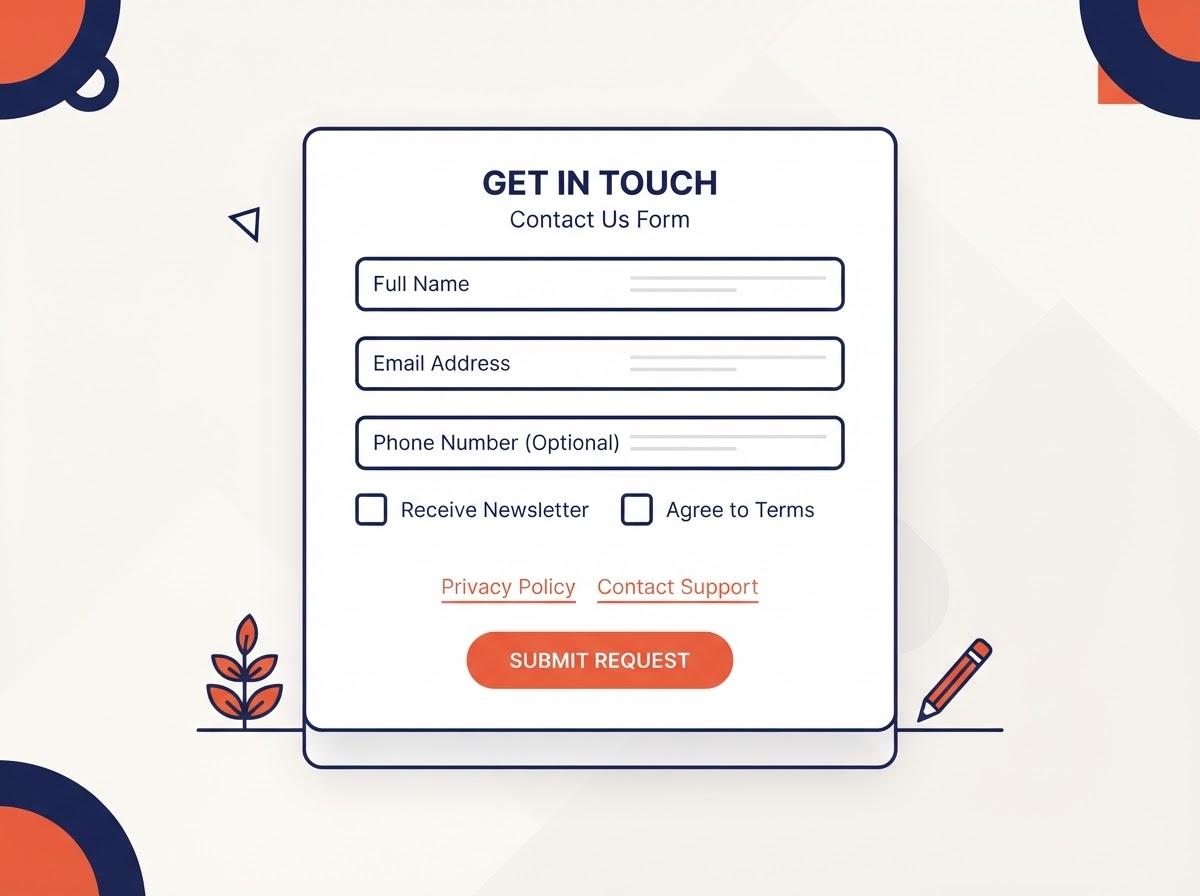
The six things the reviewer checks on your website
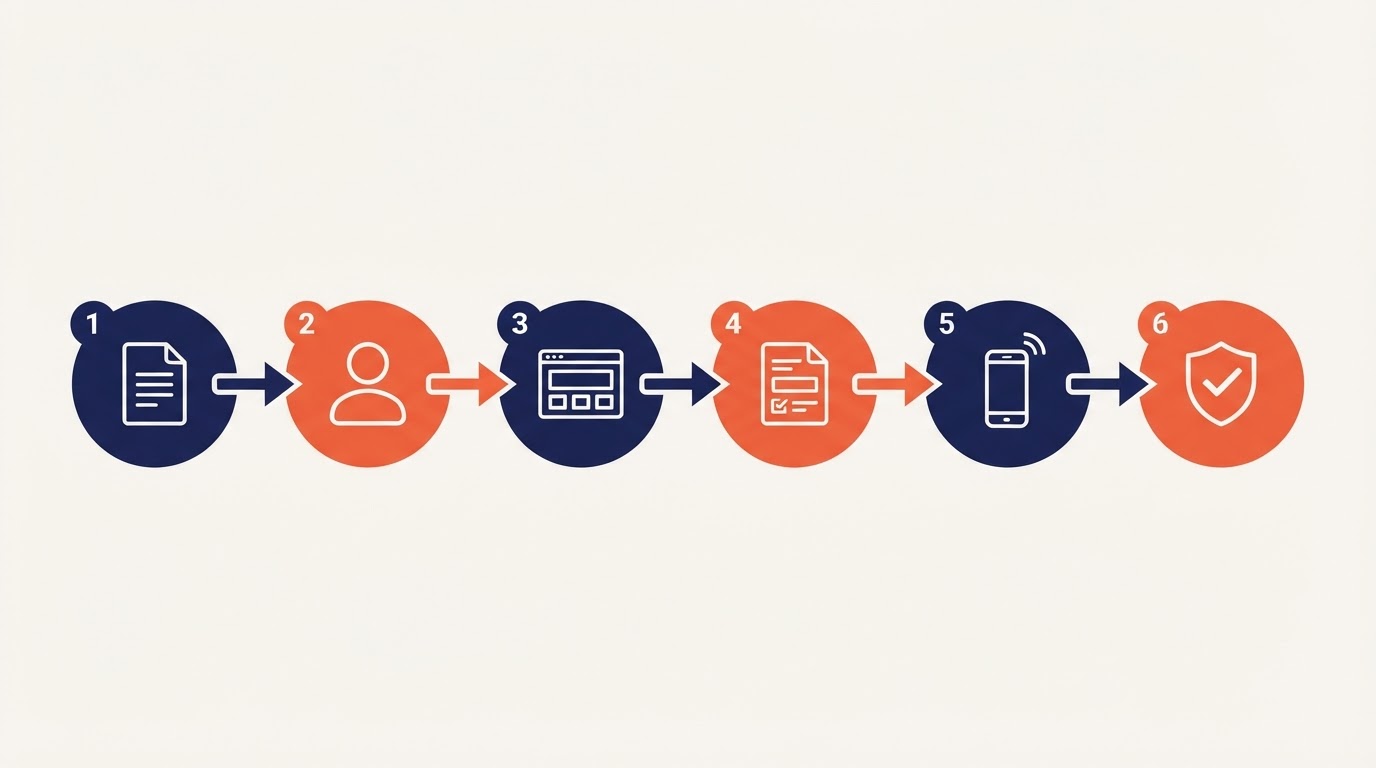
The order to do it in
People fail because they start in Trust Center. Trust Center is step six.
- 1
Get your IRS letter (CP 575) in front of you. Both name lines and the address, exactly.
- 2
Settings → Business Profile. Legal name, address, business email on your domain, EIN, business type, your name as the representative.
- 3
Website: privacy paragraph and SMS terms block. The writer below produces both. Paste, publish, check the links load without a login.
- 4
Sites → Forms: the consent form. Phone optional, two boxes with your name, real privacy and terms links, Submit button. Put it on a live page on your domain. A coming-soon page is fine. If the page has a calendar, the form goes first.
- 5
Settings → Phone System → buy a number. ID verification is required, so the business owner must be present.
- 6
Settings → Phone System → Trust Center → Register. Brand auto-fills from the profile. Paste the writer's campaign fields. Run the 14 checks. Submit.
The writer: fill in six boxes, get every field
You cannot text in the US until HighLevel registers your business with the carriers (A2P 10DLC). Most people fail once. Fill in six boxes and this writes the whole application, the checkbox text, the privacy policy paragraph and the terms block, using the wording that passes as of September 2026.
The details that get people rejected
Both lines of the name on your IRS letter (CP 575), typed exactly, and the address exactly as the state has it, even if you moved.
Phone number field must NOT be required on the form. HighLevel's default form has it required. Untick it.
Two consent boxes, one non-marketing, one marketing, with your legal name in place of the brackets. Never the placeholder text.
The Privacy and Terms links on the form must go to real pages, not example.com. Search your privacy policy for "share", "sell", "affiliate" and remove any data-sharing language.
If you send people to a calendar, the form must be step one, not the calendar. Calendar Settings → Forms and Payment → pick your compliant form, drag it first.
List every DBA in the use case description and never copy HighLevel's example text. Copied examples are flagged.
No website yet? A "coming soon" page on your own domain with the form, logo, footer links and business name is enough. A page with no form fails.
Buying the number needs ID verification, so if you are doing this for a client, have them on the call.
Or just talk to the A2P assistant
Answer in your own words. It asks the ten things a compliance reviewer needs, works out your campaign type, and fills in every field below, including a prompt that builds your compliant website. Your answers are used only to write the reply and are not stored.
A2P registration writer
Six boxes. Everything below rewrites live. Copy each field into Settings → Phone System → Trust Center, and the paragraph and block into your website.
Your business, in six boxes
Every field, written
Rewrites live as you type. Copy each field into Trust Center.
Mixed
Messages are sent by [Legal Business Name] to customers and prospects who have opted in. We provide [what your business does]. Messages include appointment reminders, confirmations, replies to your questions, and occasional offers. Customers opt in by ticking an unchecked SMS consent checkbox on the form at https://www.yoursite.com, after entering their phone number. Every message identifies [Your Business] and includes opt-out instructions. Frequency is up to 4 messages a month. Reply STOP to opt out, HELP for help.
[Your Business]: Hi [First Name], your appointment is booked for [Date] at [Time]. Reply Y to confirm or call (555) 123-4567 to change it. Reply STOP to opt out.
[Your Business]: Hi [First Name], thanks for visiting us today. Existing customers get [Offer] this month. Book at https://www.yoursite.com/book. Reply STOP to opt out.
Customers opt in on our website at https://www.yoursite.com. They enter their mobile number in an optional field and tick an unchecked checkbox that reads: "By checking this box, I consent to receive text messages from [Your Business] about appointment reminders, confirmations, replies to your questions, and occasional offers at the phone number provided. Message frequency may vary (up to 4 a month). Message and data rates may apply. Text HELP for assistance or reply STOP to opt out at any time. Consent is not a condition of purchase. Privacy Policy: https://www.yoursite.com/privacy-policy Terms: https://www.yoursite.com/terms". The form submits whether or not the box is ticked. Links to our Privacy Policy (https://www.yoursite.com/privacy-policy) and Terms (https://www.yoursite.com/terms) are shown next to the checkbox.
[Your Business]: Thanks for opting in to appointment reminders, confirmations, replies to your questions, and occasional offers. up to 4 msgs/month. Msg & data rates may apply. Reply HELP for help, STOP to opt out.
[Your Business]: For help, call (555) 123-4567 or email hello@yoursite.com. up to 4 msgs/month. Msg & data rates may apply. Reply STOP to opt out.
[Your Business]: You are unsubscribed and will receive no further messages from us. Reply START to re-subscribe.
By checking this box, I consent to receive informational text messages from [Your Business] about appointment reminders, confirmations, replies to your questions, and occasional offers at the phone number provided. Message frequency may vary (up to 4 a month). Message and data rates may apply. Text HELP for assistance or reply STOP to opt out at any time. Consent is not a condition of purchase. Privacy Policy: https://www.yoursite.com/privacy-policy Terms: https://www.yoursite.com/terms
By checking this box, I consent to receive marketing text messages from [Your Business] about offers, promotions and news at the phone number provided. Message frequency may vary (up to 4 a month). Message and data rates may apply. Text HELP for assistance or reply STOP to opt out at any time. Consent is not a condition of purchase. Privacy Policy: https://www.yoursite.com/privacy-policy Terms: https://www.yoursite.com/terms
SMS consent and mobile information. When you provide your mobile number and consent to receive text messages from [Your Business], we use it only to send the messages you agreed to (appointment reminders, confirmations, replies to your questions, and occasional offers). We do not share, sell, or provide your mobile phone number or messaging consent data to third parties or affiliates for marketing or promotional purposes. Mobile information is not shared with third parties for marketing. You can opt out at any time by replying STOP, and get help by replying HELP.
SMS terms and conditions. By opting in to text messages from [Legal Business Name] ("[Your Business]") you agree to receive appointment reminders, confirmations, replies to your questions, and occasional offers at the mobile number you provided. Message frequency: up to 4 messages a month. Message and data rates may apply. You can cancel at any time by replying STOP to any message; you will receive one final message confirming you have been unsubscribed. For help, reply HELP, call (555) 123-4567 or email hello@yoursite.com. Carriers are not liable for delayed or undelivered messages. You must be 18 years of age or older to opt in. Our Privacy Policy is at https://www.yoursite.com/privacy-policy.Build a one-page "coming soon" website for [Your Business] (legal name [Legal Business Name]), a business that provides [what your business does]. Purpose: pass carrier A2P 10DLC texting registration, so follow these rules exactly. PAGE CONTENT: logo placeholder at top, headline "[Your Business] is coming soon", one paragraph saying what we do ([what your business does]) and inviting people to join the waiting list, our phone (555) 123-4567 and email hello@yoursite.com visible on the page, and a footer with "© 2026 [Legal Business Name]" plus two links: Privacy Policy (https://www.yoursite.com/privacy-policy) and Terms & Conditions (https://www.yoursite.com/terms). FORM (the most important part): fields First name, Last name, Email (required), Phone (OPTIONAL, must not be required). Under the phone field: Two separate checkboxes, both UNCHECKED by default, labelled exactly: (1) "By checking this box, I consent to receive informational text messages from [Your Business] about appointment reminders, confirmations, replies to your questions, and occasional offers at the phone number provided. Message frequency may vary (up to 4 a month). Message and data rates may apply. Text HELP for assistance or reply STOP to opt out at any time. Consent is not a condition of purchase. Privacy Policy: https://www.yoursite.com/privacy-policy Terms: https://www.yoursite.com/terms" and (2) "By checking this box, I consent to receive marketing text messages from [Your Business] about offers, promotions and news at the phone number provided. Message frequency may vary (up to 4 a month). Message and data rates may apply. Text HELP for assistance or reply STOP to opt out at any time. Consent is not a condition of purchase. Privacy Policy: https://www.yoursite.com/privacy-policy Terms: https://www.yoursite.com/terms". The form must submit even if no box is ticked. Directly below the boxes, repeat the two links: Privacy Policy and Terms & Conditions. Button text: Submit. DESIGN: clean, modern, mobile-first, navy and white with one accent colour, generous spacing, no stock-photo clutter. No HighLevel branding anywhere. Do not add a calendar above the form. Do not use any URL shortener. Do not put the phone field as required. Publish on our own domain https://www.yoursite.com.
Write two web pages for [Legal Business Name] (doing business as [Your Business]), which provides [what your business does], website https://www.yoursite.com, contact hello@yoursite.com and (555) 123-4567. PAGE 1, PRIVACY POLICY: a standard small-business privacy policy (what we collect through forms and messages, how we use it, security, cookies, your rights, contact) PLUS a section titled "SMS consent and mobile information" that contains these sentences word for word: "We do not share, sell, or provide your mobile phone number or messaging consent data to third parties or affiliates for marketing or promotional purposes." and "Text messaging originator opt-in data and consent will not be shared with any third parties, except for aggregators and providers of the text messaging service." Do not include any sentence anywhere that says we share, sell or rent personal data to affiliates or partners for marketing. PAGE 2, TERMS AND CONDITIONS: standard terms PLUS a section titled "SMS terms and conditions" that includes all of: the program name ([Your Business]) and a description of the messages (appointment reminders, confirmations, replies to your questions, and occasional offers); message frequency (up to 4 a month); the exact phrase "Message and data rates may apply"; how to opt out: reply STOP to any message, with one final confirmation text; how to get help: reply HELP, call (555) 123-4567 or email hello@yoursite.com; a carrier liability disclaimer (carriers are not liable for delayed or undelivered messages); an age line (you must be 18 or older to opt in); and a link to the Privacy Policy at https://www.yoursite.com/privacy-policy. Plain English, no placeholders left in brackets, ready to publish. Note: this is a template, not legal advice.
https://www.yoursite.com/privacy-policy
https://www.yoursite.com/terms
https://www.yoursite.com/contact (the page with the checkbox)
Before you press Submit: the checks that map to the real rejection codes
A2P pre-flight, 14 checks
Each line is a real rejection code from HighLevel's list (9 Sep 2026). Tick them all and you are past 90% of failures.
Website prompt maker: build the compliant page with AI
No website yet, or yours would fail? These two prompts are written from your answers above. Paste the first into HighLevel's AI Studio or Funnel AI and it builds the coming-soon page with the form, the optional phone field, the two unchecked consent boxes and the policy links. Paste the second into any AI to write the Privacy Policy and Terms pages with the SMS wording carriers look for.
Fill the writer above first (or finish the assistant chat). The prompts below rewrite live with your business name, phone, email, website and message types. Placeholders show until you do.
Build a one-page "coming soon" website for [Your Business] (legal name [Legal Business Name]), a business that provides [what your business does]. Purpose: pass carrier A2P 10DLC texting registration, so follow these rules exactly.

PAGE CONTENT: logo placeholder at top, headline "[Your Business] is coming soon", one paragraph saying what we do ([what your business does]) and inviting people to join the waiting list, our phone (555) 123-4567 and email hello@yoursite.com visible on the page, and a footer with "© 2026 [Legal Business Name]" plus two links: Privacy Policy (https://www.yoursite.com/privacy-policy) and Terms & Conditions (https://www.yoursite.com/terms).

FORM (the most important part): fields First name, Last name, Email (required), Phone (OPTIONAL, must not be required). Under the phone field: Two separate checkboxes, both UNCHECKED by default, labelled exactly: (1) "By checking this box, I consent to receive informational text messages from [Your Business] about appointment reminders, confirmations, replies to your questions, and occasional offers at the phone number provided. Message frequency may vary (up to 4 a month). Message and data rates may apply. Text HELP for assistance or reply STOP to opt out at any time. Consent is not a condition of purchase. Privacy Policy: https://www.yoursite.com/privacy-policy Terms: https://www.yoursite.com/terms" and (2) "By checking this box, I consent to receive marketing text messages from [Your Business] about offers, promotions and news at the phone number provided. Message frequency may vary (up to 4 a month). Message and data rates may apply. Text HELP for assistance or reply STOP to opt out at any time. Consent is not a condition of purchase. Privacy Policy: https://www.yoursite.com/privacy-policy Terms: https://www.yoursite.com/terms". The form must submit even if no box is ticked. Directly below the boxes, repeat the two links: Privacy Policy and Terms & Conditions. Button text: Submit.

DESIGN: clean, modern, mobile-first, navy and white with one accent colour, generous spacing, no stock-photo clutter. No HighLevel branding anywhere. Do not add a calendar above the form. Do not use any URL shortener. Do not put the phone field as required. Publish on our own domain https://www.yoursite.com.
Write two web pages for [Legal Business Name] (doing business as [Your Business]), which provides [what your business does], website https://www.yoursite.com, contact hello@yoursite.com and (555) 123-4567.

PAGE 1, PRIVACY POLICY: a standard small-business privacy policy (what we collect through forms and messages, how we use it, security, cookies, your rights, contact) PLUS a section titled "SMS consent and mobile information" that contains these sentences word for word: "We do not share, sell, or provide your mobile phone number or messaging consent data to third parties or affiliates for marketing or promotional purposes." and "Text messaging originator opt-in data and consent will not be shared with any third parties, except for aggregators and providers of the text messaging service." Do not include any sentence anywhere that says we share, sell or rent personal data to affiliates or partners for marketing.

PAGE 2, TERMS AND CONDITIONS: standard terms PLUS a section titled "SMS terms and conditions" that includes all of: the program name ([Your Business]) and a description of the messages (appointment reminders, confirmations, replies to your questions, and occasional offers); message frequency (up to 4 a month); the exact phrase "Message and data rates may apply"; how to opt out: reply STOP to any message, with one final confirmation text; how to get help: reply HELP, call (555) 123-4567 or email hello@yoursite.com; a carrier liability disclaimer (carriers are not liable for delayed or undelivered messages); an age line (you must be 18 or older to opt in); and a link to the Privacy Policy at https://www.yoursite.com/privacy-policy.

Plain English, no placeholders left in brackets, ready to publish. Note: this is a template, not legal advice.
The Chat Widget route: let HighLevel write the approval for you
HighLevel's Trust Center offers two setups. Chat Widget auto-fills the campaign from your choices and puts the two consent boxes inside the widget. Manual is where you paste the writer's fields. Pick the one that matches how your website collects consent.
HighLevel writes the fields for you
- Auto-fills the use case description, both sample messages, the opt-in method and the opt-in message from your choices
- Pick Mixed and it generates the two unchecked consent boxes (informational + marketing) inside the widget
- Condition: the HighLevel chat widget must be the only SMS consent form on the page you submit. Your site still needs the business name, contact details, a public Privacy Policy and Terms
You paste every field
- Use it when consent comes from a form, a paper form, a phone call or a keyword
- Full control over the wording. Paste each field from the writer, or let the assistant fill it in a chat
- Same website rules apply: name, contact, policies, an opt-in page the reviewer can open without a login
Chat Widget route, click by click
- 1
Sites → Chat Widget: add the HighLevel chat widget to your live page and make it the only place SMS consent is collected on that page (remove any other consent form there).
- 2
Settings → Phone System → Trust Center → Register: brand details come from your Business Profile.
- 3
Choose Chat Widget setup and pick your use case (Mixed if you send reminders and offers). HighLevel generates the use case description, both sample messages, the opt-in method and the opt-in message.
- 4
Read what it generated against the 14 checks below: your legal name, no placeholders, full https links, "Reply STOP" in the samples.
- 5
Confirm the website checklist (name, contact, public Privacy Policy and Terms) and submit.
Rejected? The code tells you exactly what to fix
Settings → Phone System → Trust Center → your campaign → "View required fixes". Match the code here, fix everything in that row, not just the field named, and resubmit. It costs nothing, but the two-day clock restarts.
| Code | What it means | Fix |
|---|---|---|
| 30908 / 30932 | Privacy policy missing, unreachable, or says you share data | Add the no-sharing sentence from the writer. Make the page public. Remove "share", "sell", "affiliates" language. |
| 30925 / 30923 / 30931 | Checkbox pre-ticked, missing, or bundled with the terms | Separate, unchecked SMS box. Form must submit without it. |
| 30924 | Consent text missing frequency, rates, HELP or STOP | Copy the writer's checkbox line word for word. |
| 30913 | Marketing and informational consent not separated | Two boxes for a Mixed campaign. |
| 30909 / 30896 | Opt-in flow can't be verified | Give the exact public URL of the page with the box. Behind a login? Host a screenshot and link it. |
| 30919 / 30920 / 30921 / 30922 | Website thin, form-only, login-required, or not loading | Business name, what you do, contact, policies on the page. Turn off bot protection for the reviewer. |
| 30886 | Use case description too vague | Who sends, who receives, what, how they opted in, all DBAs. The writer's version. |
| 30893 / 30911 / 30892 | Samples missing, identical, no brand name, or a URL shortener | Two different messages, brand name, [brackets], full https link, "Reply STOP". |
| 30914 / 30915 / 30918 | Name mismatch: sole prop, corporate name, or DBA not on file | Register the brand exactly as the IRS has it; add the DBA to the brand. |
| 30971 / 30881 | Personal email domain | name@yourcompany.com, not Gmail. |
| 30940 to 30964 | Disallowed content or high risk | No resubmission. Cannabis, loans, gambling, lead resale, SHAFT, shorteners, http links. |
Never allowed, no matter how you word it
These are rejected with no resubmission. If your business is on this list, texting through HighLevel is not the channel.
Approved. Now what?
Approval is not the finish line. The number has to be linked, STOP and HELP have to actually work, and your first sends decide your carrier reputation.
After approval: the first week
Eight steps. Tick them here or print the PDF for the client.
A2P texting registration questions, answered
Short answers to what people search. Every number is from HighLevel's own pages, with the date.
What it costs and how long it takes
| Item | Fee | Notes |
|---|---|---|
| Brand registration + campaign vetting, one time | $22.50 | Sole proprietor or Low Volume Standard (under 6,000 texts a day). High Volume Standard is $64.00. Includes the $3 fast-track. |
| Each extra campaign | $15.00 | Vetting only. |
| Resubmitting a rejected campaign | $0 | But the review clock restarts. Clean submissions come back in about 2 business days; HighLevel says allow several business days after approval for carriers to sync. |
| Monthly campaign fee | $10.00 | Standard campaign. Low Volume Mixed $1.50. Sole proprietor $2. Charity $3. |
| Carrier fee per outbound text | $0.003 | AT&T, T-Mobile, Verizon. US Cellular $0.005. On top of HighLevel's own $0.00747 per segment. |
Fees from HighLevel's A2P 10DLC Messaging Fees page (24 Sep 2026). Rejection codes from A2P Campaign Rejection Reasons and Required Fixes (9 Sep 2026). I am not a lawyer; this is the wording that is passing review, not legal advice.